AI video operations

Your cameras already see it. This makes sure someone notices.

Cognivue connects to the recorders and cameras you already own, watches every feed, and tells your team only when something needs a person. When you need to look back, you describe what you are after instead of scrolling through hours of video.

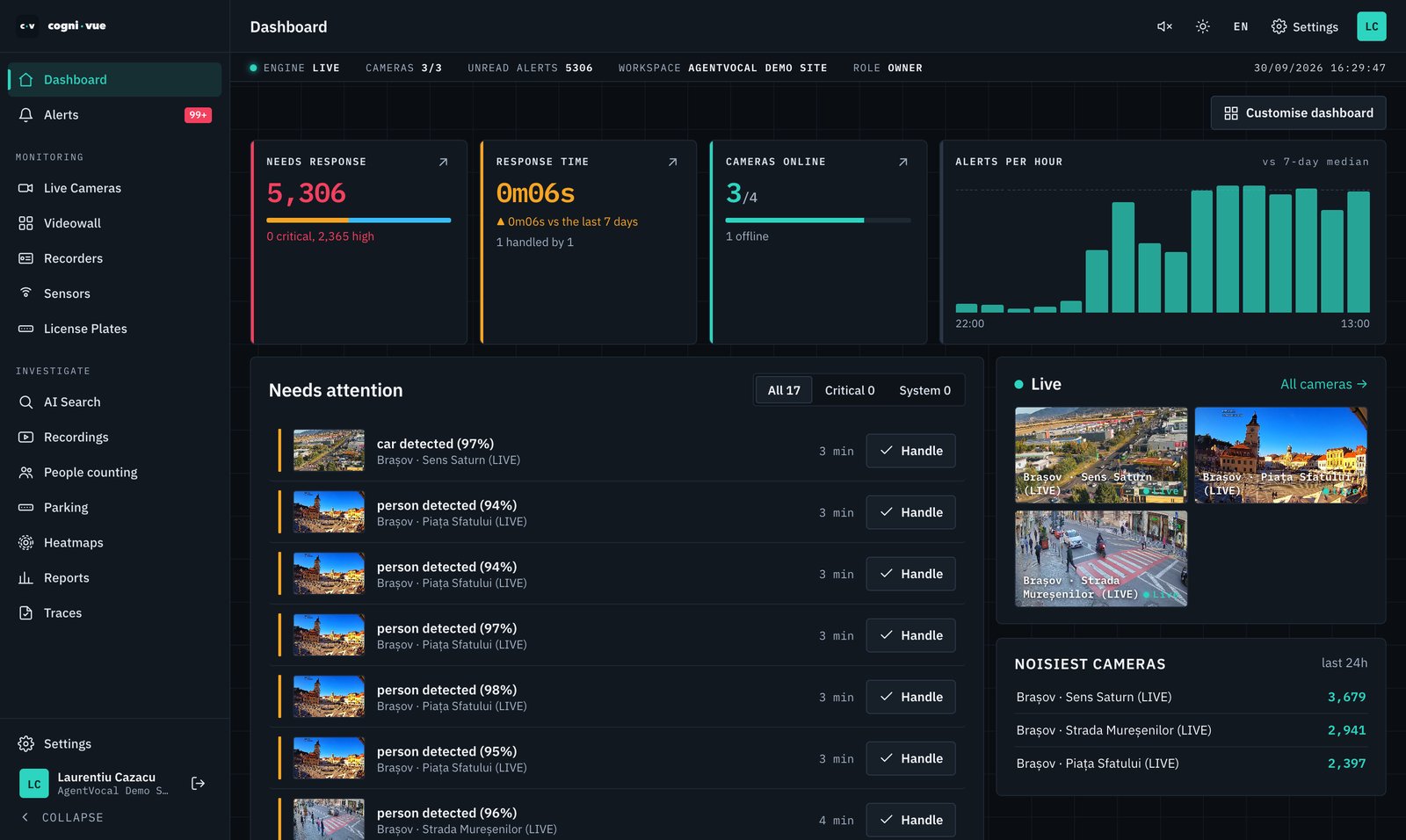
Cognivue dashboard
80kinds of object recognised from the first day
~1 sfrom a recorder event to an alert on screen
3recorder brands — Hikvision, Dahua, Uniview — through one form
0cameras or recorders to replace
How it works

Six stages. Your team lives in the third one.

Nothing is replaced and nothing is installed on a desk. It runs in a browser, on a computer or a phone, in English or Romanian.

01

Connect

Add a recorder or a camera. The brand is recognised and the channels are listed.

Minutes per recorder
02

Set up

Choose what each camera looks for. Draw lines, zones and parking rows on the picture.

Once per camera
03

Respond

Dashboard, alerts, live view and the wall. One alert per event, with its picture.

Every day
04

Measure

People in and out, occupancy rate, parking bays, heatmaps.

Always running
05

Investigate

Search by words, by example or by plate. Follow a described person across cameras.

When something happened
06

Account

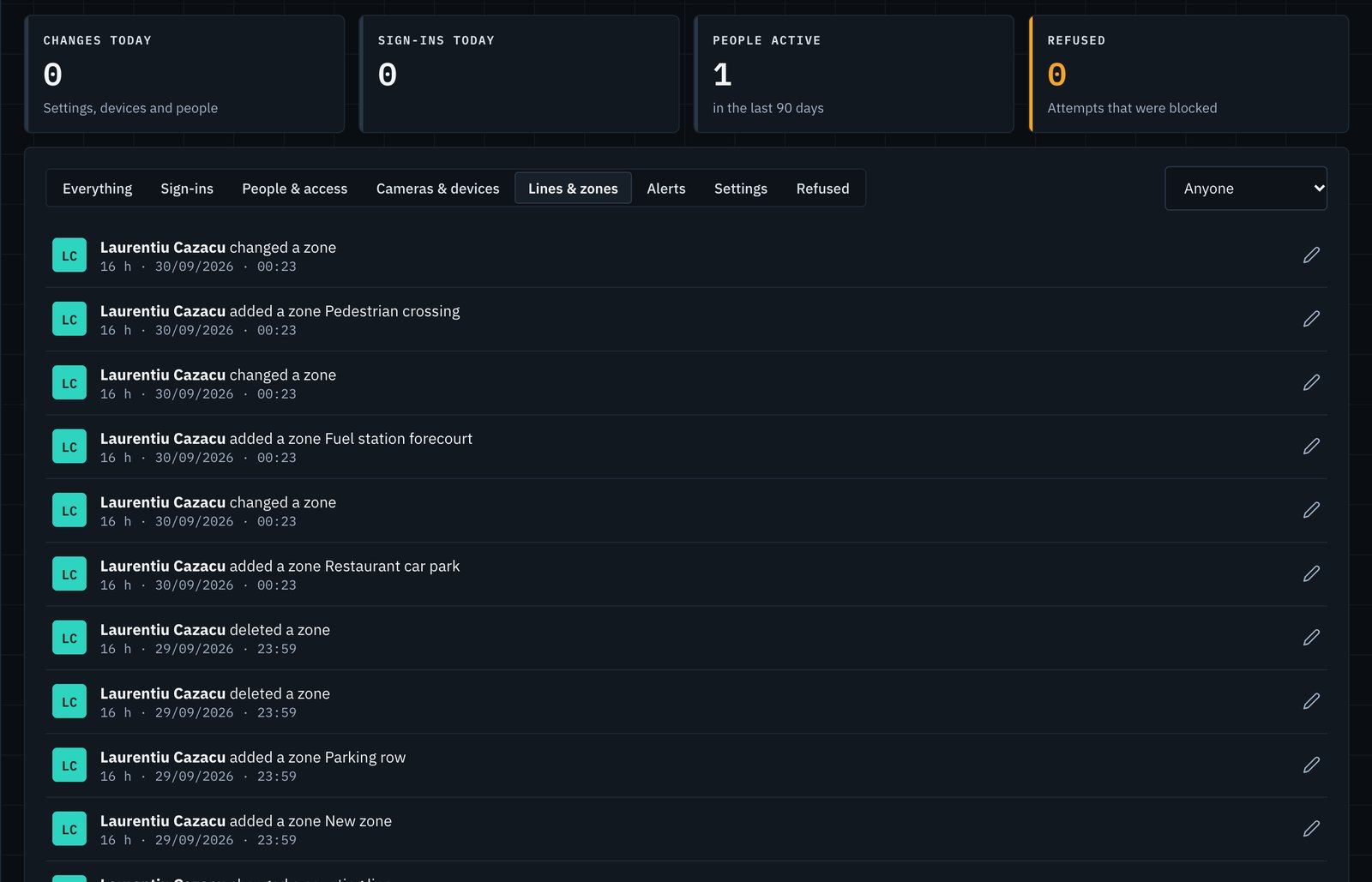
Reports as PDF, and a log of who changed what that nobody can edit.

Monthly, or on request
The product

Fifteen pages, each with one job

Every page below exists today and is in use. Pages a person does not need can be hidden from them.

Respond

One alert per event, not one per frame

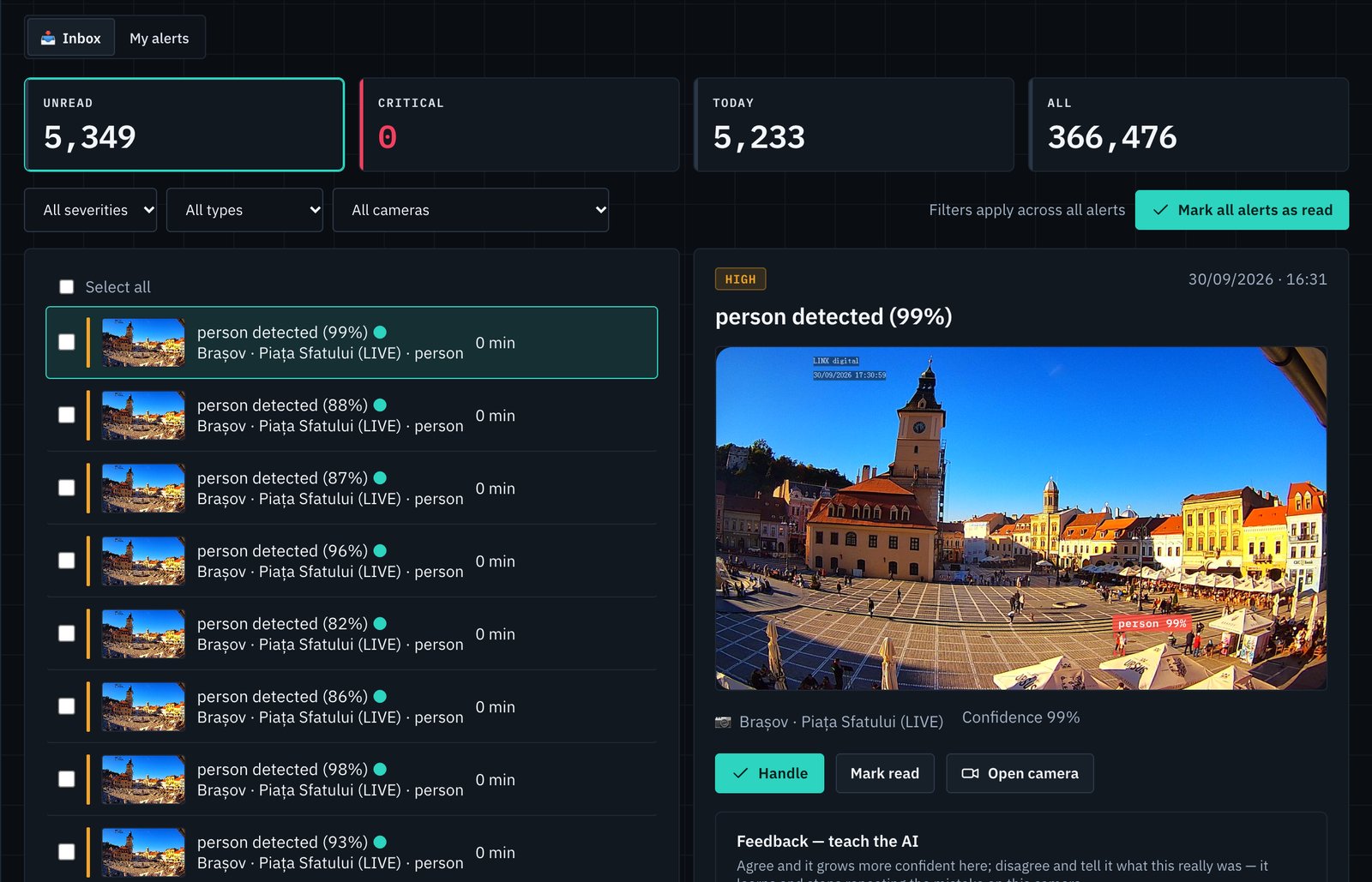
Each alert carries its picture, the camera, the confidence and a severity. A car that stays parked is one detection, not one every few seconds.

  • Handle, mark read or open the camera — what was done stays attached
  • Filter by severity, type or camera
  • Tell the platform when it was wrong, and it takes that into account
Alerts inbox
Set up

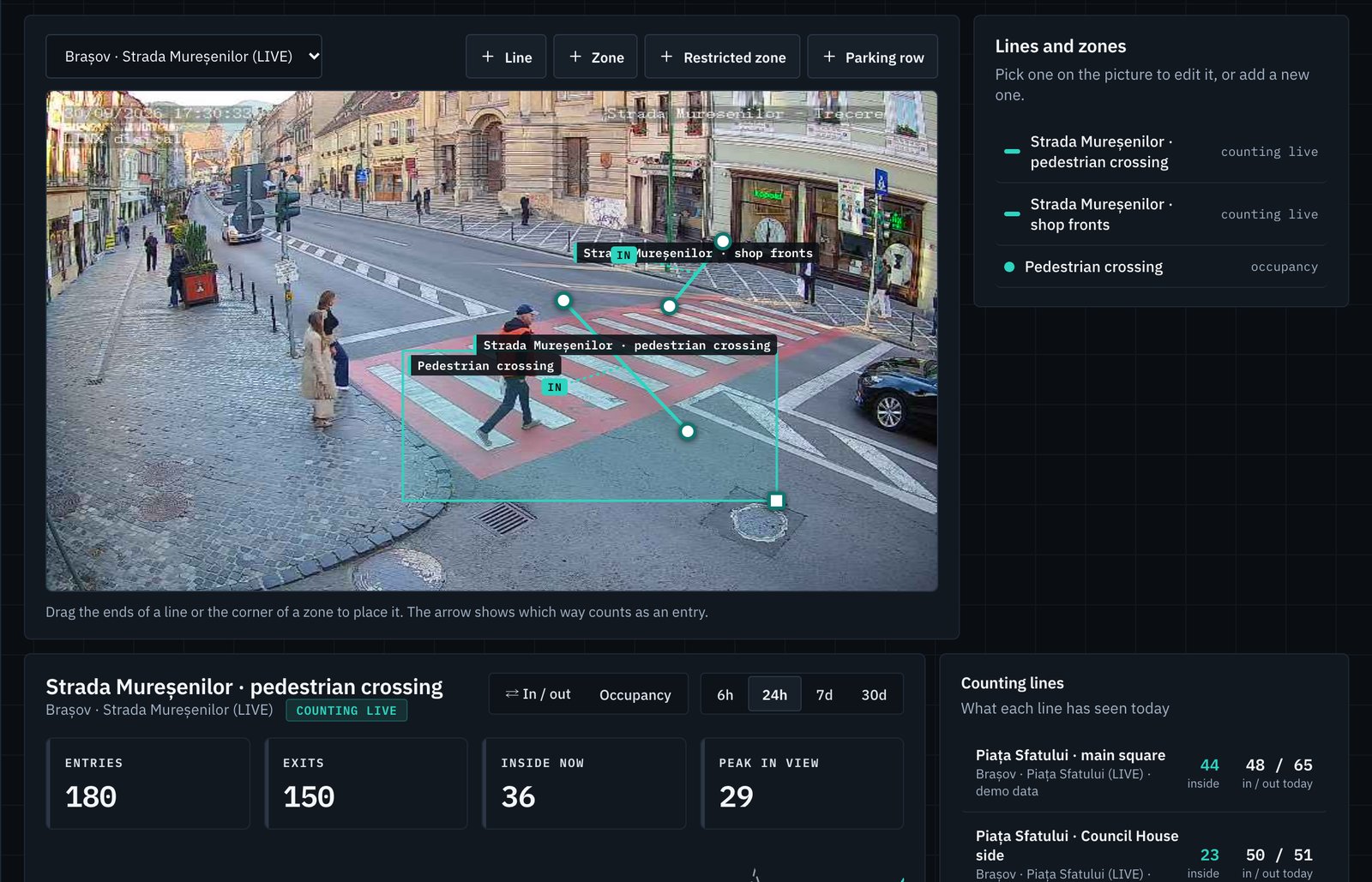
Draw the line where people actually walk

Open the camera picture and drag. A line counts crossings in both directions; a zone counts who is inside it, guards an area, or watches a row of parking bays.

  • Every crossing is kept with its picture
  • Occupancy rate against a capacity you set
  • An alert when a count stays past a limit
Counting lines and zones
Investigate

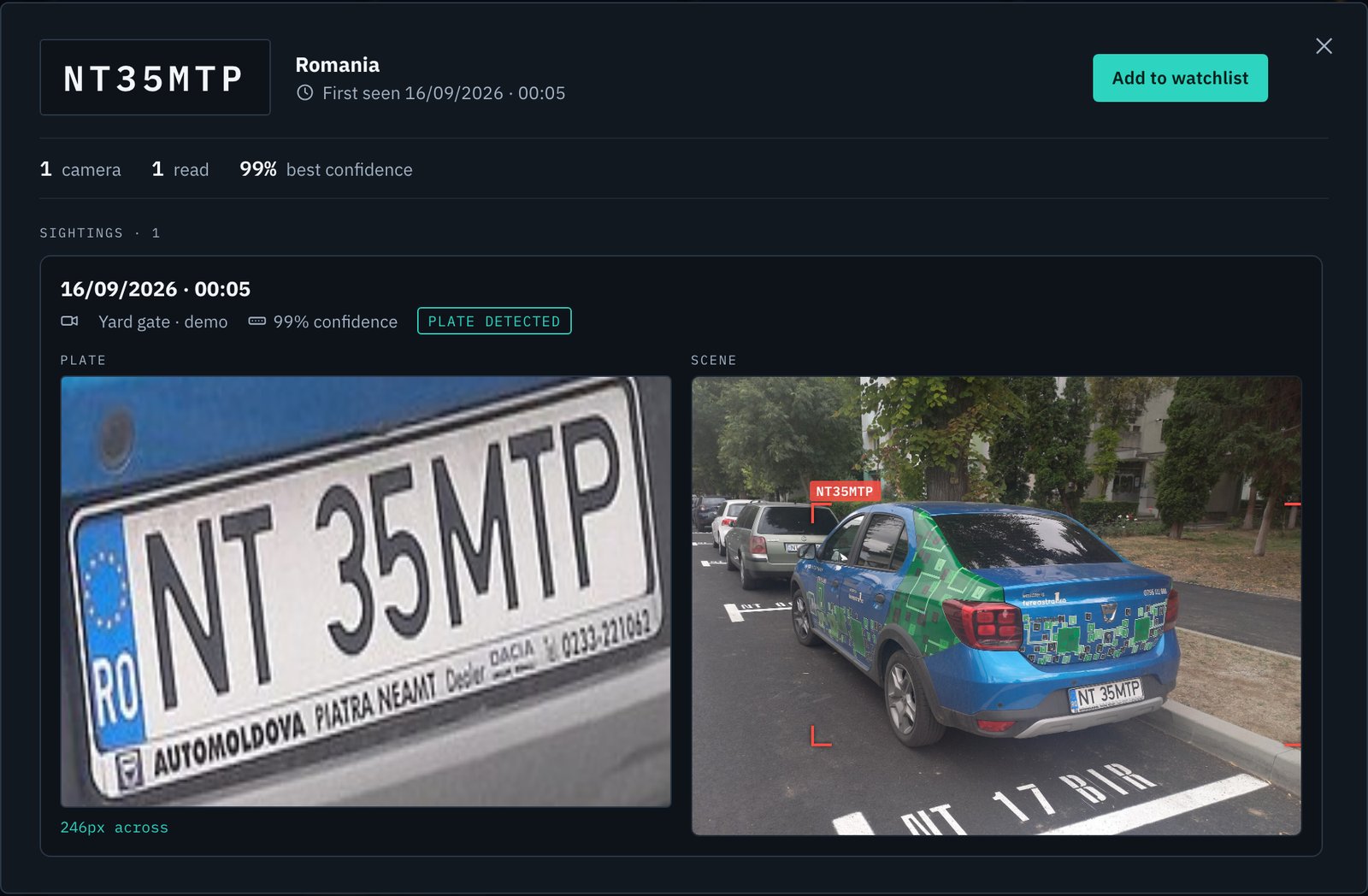
Number plates you can actually read

For each vehicle the plate is found, enlarged and shown beside the full picture. Reads of the same vehicle are grouped into one visit.

  • A watchlist raises an alert when a plate returns
  • Search by full or partial number
  • A plate is read only when it is large enough in the picture — no invented numbers
Plate read
Investigate

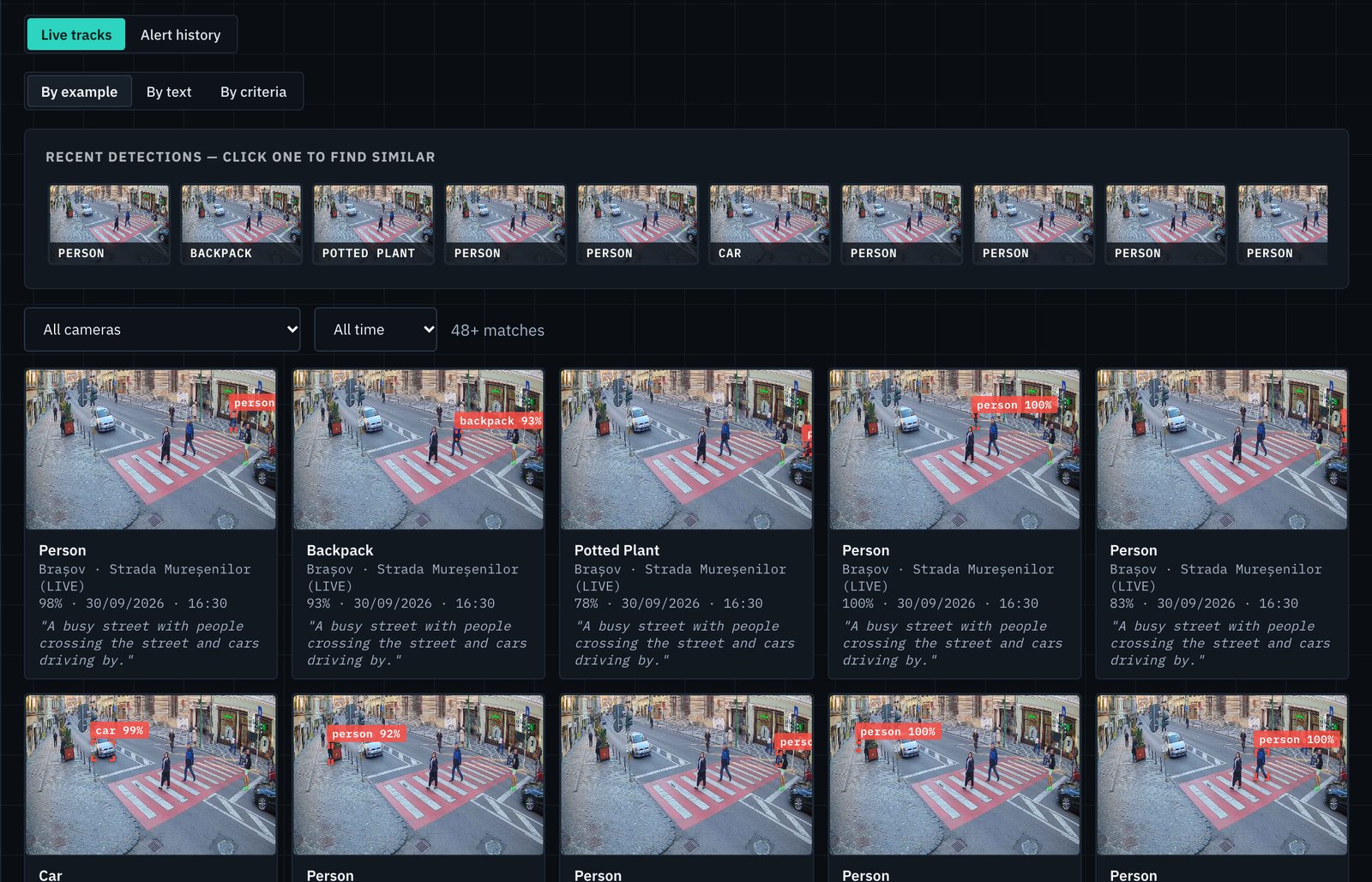
Follow a person by what they wear

Describe the person — "red cap", "blonde, black jacket, backpack" — and see the cameras where someone matching was seen, in order, with the pictures.

  • Plain words, in English or Romanian
  • The colour is tied to the garment, so "red coat" does not match red hair
  • Or pick any detection and ask for similar ones
Person trail
Measure

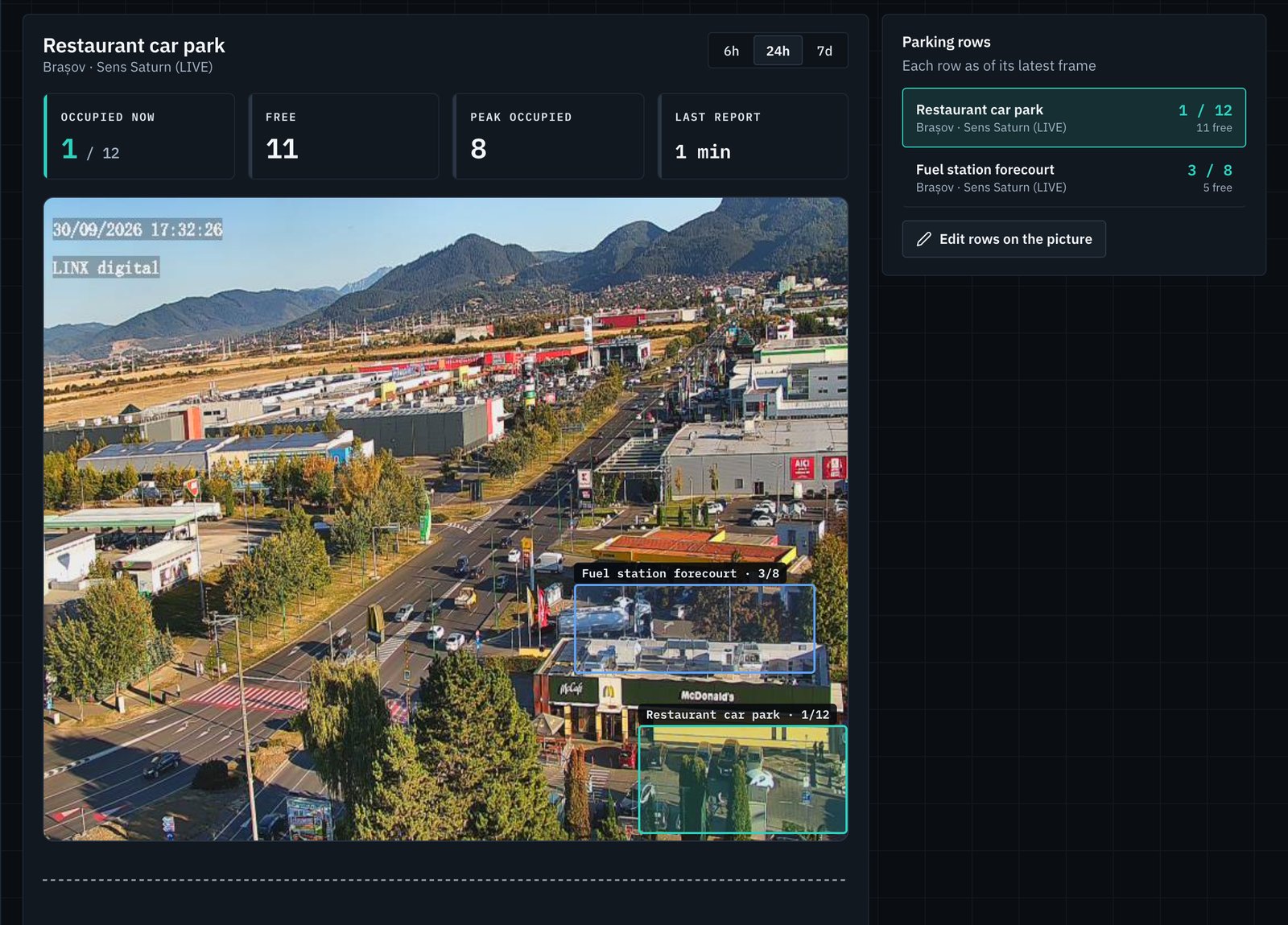
Parking, row by row

Draw a row on the picture and say how many bays it has. The platform counts the vehicles standing in it and shows what is taken and what is free.

  • Several rows per camera
  • Works on the cameras you already have above the car park
  • Heatmaps show where activity concentrates
Parking rows
Account

Who changed what, and who can see what

Traces keeps every sign-in, every change to cameras, lines, people and settings, and every attempt that was refused. People are given roles and see only the pages and cameras they need.

  • Roles: admin, manager, guard, plate operator
  • Entries cannot be edited or removed from the interface
  • Reports in one click, as PDF
Traces
Live

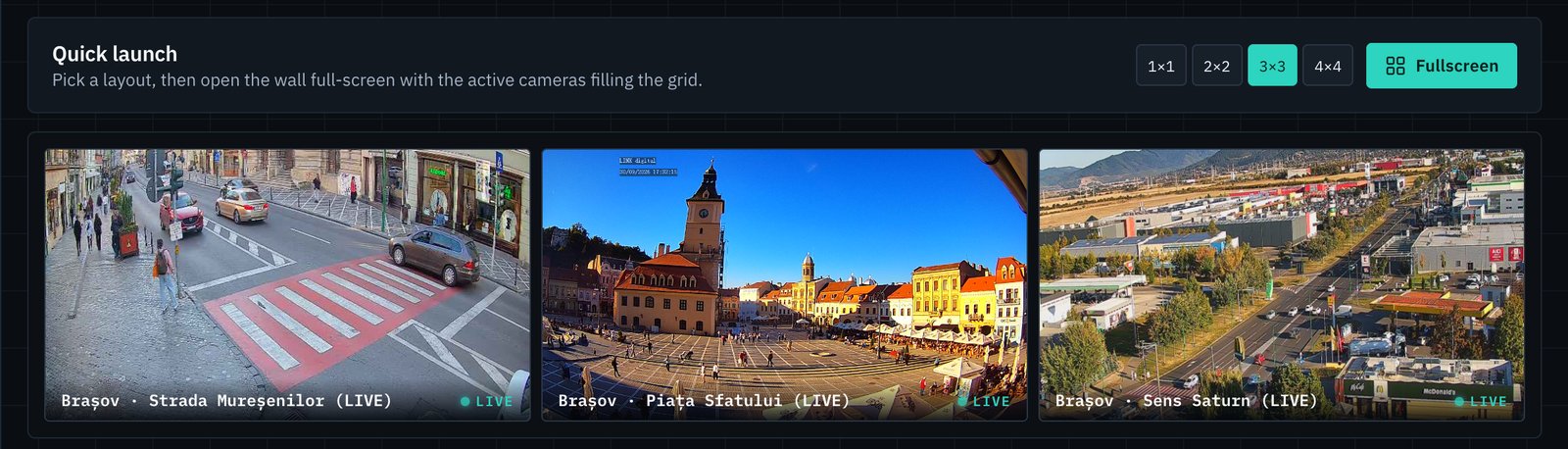
One to sixteen cameras that always fit the screen

Drag a tile to move it; the order is remembered. The wall opens full screen for a monitor nobody has to touch.

Live cameras
Deployment

Three ways to connect a site

The three can be mixed on the same site. The footage itself always stays on your recorder.

A

The platform asks

For a recorder that can be reached from outside. The platform collects a picture from each camera on a schedule and analyses it.

Nothing on site
B

The recorder tells

The recorder calls a private link when it sees motion, a line crossing or a plate. The alert arrives in about a second.

One setting on the recorder
C

An agent on site

For cameras on an internal network only. A small program sends pictures out, so no port has to be opened.

One small computer

Hikvision, Dahua and Uniview recorders are connected as they are. Each organisation is its own workspace; the database is in the European Union; detection records are removed automatically after 14 days.

Pricing

A small set-up fee. Then a monthly amount per camera.

Nothing to buy up front. Each camera is on the plan that matches what it does, and you keep the cameras and recorders you already own.

Per camera, per month
Live view — cameras people look at€0.50
Light — quiet places, a picture analysed every 5 minutes€1
Standard — entrances, gates and car parks, with live counting€19
Intensive — factory floors and busy gates€79

Plans can be changed camera by camera, from one month to the next.

The rest
Platform, per organisation, per month€49
Site set-up, up to 25 cameras, once€490
Camera connected through your recorder, once€15
Scenario configured — a line, a zone, a car park — once€20

EUR, excluding VAT. A 40-camera site is about €6 per camera per month. Formal quotations are prepared per site.

Request the price list
Straight answers

What people ask us

Do we have to change our cameras?

No. Hikvision, Dahua and Uniview recorders are connected as they are, and so are cameras that publish a picture over the network.

Can it read number plates from any camera?

Only where the plate is large enough in the picture, about 60 pixels across. A camera aimed at one lane or a gate reads well; a wide view of a square does not.

Is anything installed on site?

Not when the recorder can be reached from outside. For a recorder that lives only on an internal network there is a small agent, or a tunnel.

Can we find someone by their clothes?

Yes, for people the camera sees clearly. Hair or headwear, top, trousers, shoes and bag are noted, and you search in plain words.

Will it flood us with alerts?

A car that stays parked is one detection, not one every few seconds. On our own test cameras this removed over a hundred repeats in the first half hour.

Who can see what?

You decide per person: which pages, which cameras. Ready-made roles cover admin, manager, guard and plate operator.

How fast is an alert?

When the recorder reports its own events, about a second. When the platform looks at the camera on a schedule, as often as that schedule runs.

Where is our data?

The database is in the European Union. Detection records are removed after 14 days. Every change is written to a log that cannot be edited.
See it on your own cameras

Give us one recorder and one week.

We connect it, set up the rules with you, and you judge the platform on your own pictures.

tudor@agentvocal.ro